PRODUCT DESIGN | Education
PRODUCT DESIGN | Education
PRODUCT DESIGN | Education
Creating the DriveX Admin Experience
Creating the DriveX Admin Experience
Creating the DriveX Admin Experience
COMPANY
BitpointX
ROLE
Lead Product Designer
TOOLS
Figma, Miro, Notion
OVERVIEW
OVERVIEW
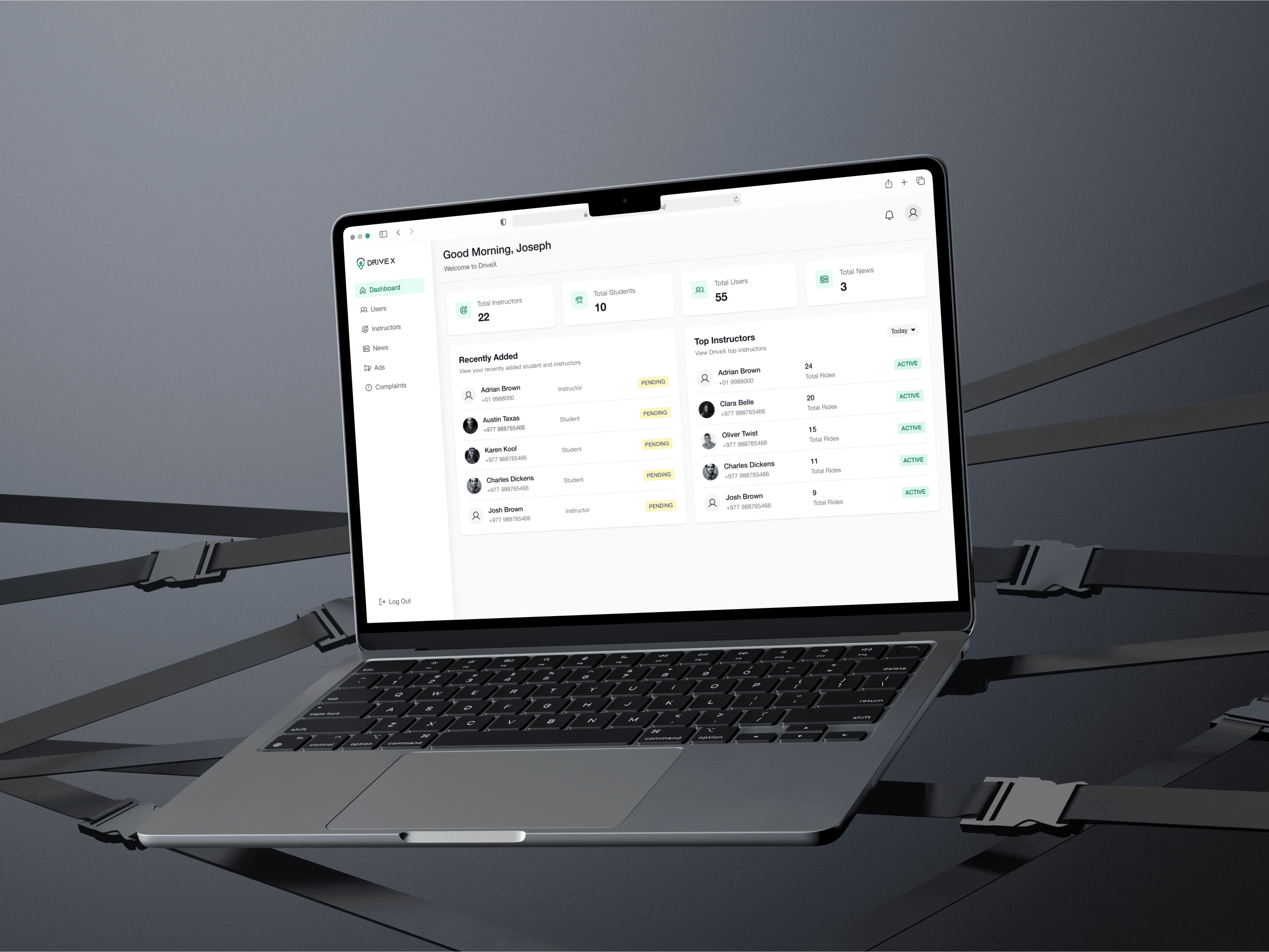
DriveX is a driving app designed to connect students and driving instructors, making learning to drive more efficient and accessible. To streamline app management and improve operational efficiency, we designed an admin system that allows administrators to manage users, monitor user activity, and create in-app advertisements. This case study explores the design process, challenges, and outcomes of developing the DriveX Admin System.
DriveX is a driving app designed to connect students and driving instructors, making learning to drive more efficient and accessible. To streamline app management and improve operational efficiency, we designed an admin system that allows administrators to manage users, monitor user activity, and create in-app advertisements. This case study explores the design process, challenges, and outcomes of developing the DriveX Admin System.
MY ROLE
MY ROLE
Conducting user research to gather insights from stakeholders.
Conducting user research to gather insights from stakeholders.
Designing wireframes and high-fidelity prototypes using Figma.
Designing wireframes and high-fidelity prototypes using Figma.
Developing the overall UI/UX strategy, focusing on usability and accessibility.
Developing the overall UI/UX strategy, focusing on usability and accessibility.
Collaborating with developers and stakeholders in an agile environment to ensure accurate implementation of features.
Collaborating with developers and stakeholders in an agile environment to ensure accurate implementation of features.
Problem Statement
Problem Statement
With a growing user base of students and driving instructors, DriveX faced challenges in managing users effectively and gaining insights into their activity. Additionally, the platform lacked a dedicated tool for creating in-app advertisements, which limited its ability to promote new features and services. Our task was to design an admin system that addressed these pain points while ensuring a seamless user experience for administrators.
With a growing user base of students and driving instructors, DriveX faced challenges in managing users effectively and gaining insights into their activity. Additionally, the platform lacked a dedicated tool for creating in-app advertisements, which limited its ability to promote new features and services. Our task was to design an admin system that addressed these pain points while ensuring a seamless user experience for administrators.
Goals and Objectives
Goals and Objectives
Enable admins to easily add, edit, and remove students and instructors.
Enable admins to easily add, edit, and remove students and instructors.
Offer clear, actionable insights into user activity and engagement.
Offer clear, actionable insights into user activity and engagement.
Simplify the process of creating and managing in-app advertisements.
Simplify the process of creating and managing in-app advertisements.
DESIGN PROCESS
DESIGN PROCESS
Design process was straightforward, involving conversations with stakeholders about their requirements for the app. Based on these discussions:
Design process was straightforward, involving conversations with stakeholders about their requirements for the app. Based on these discussions:
KEY INSIGHTS INCLUDED
Admins needed a centralized dashboard where they could view total instructors, total users, total ads, and other key statistics.
Admins needed a centralized dashboard where they could view total instructors, total users, total ads, and other key statistics.
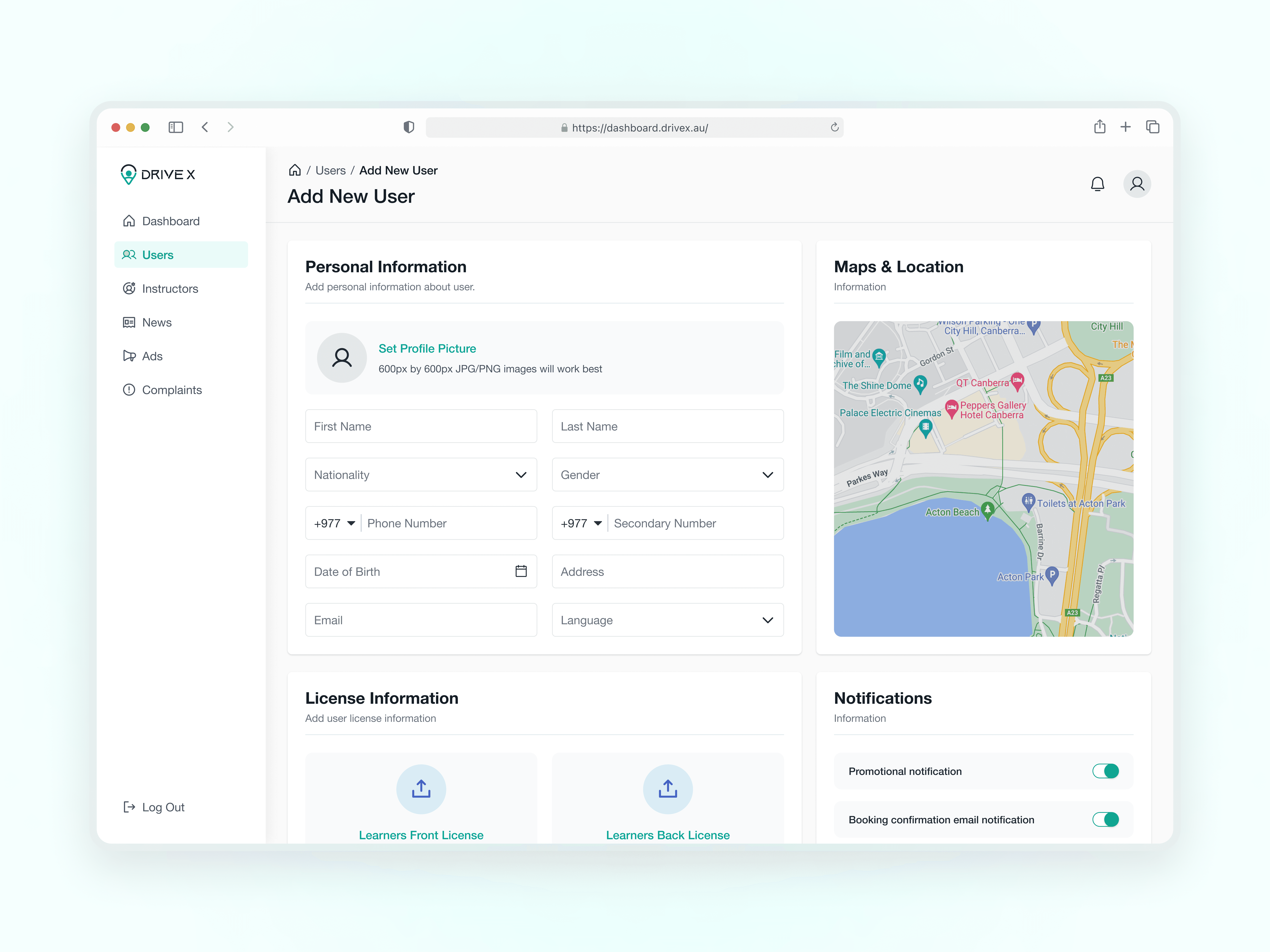
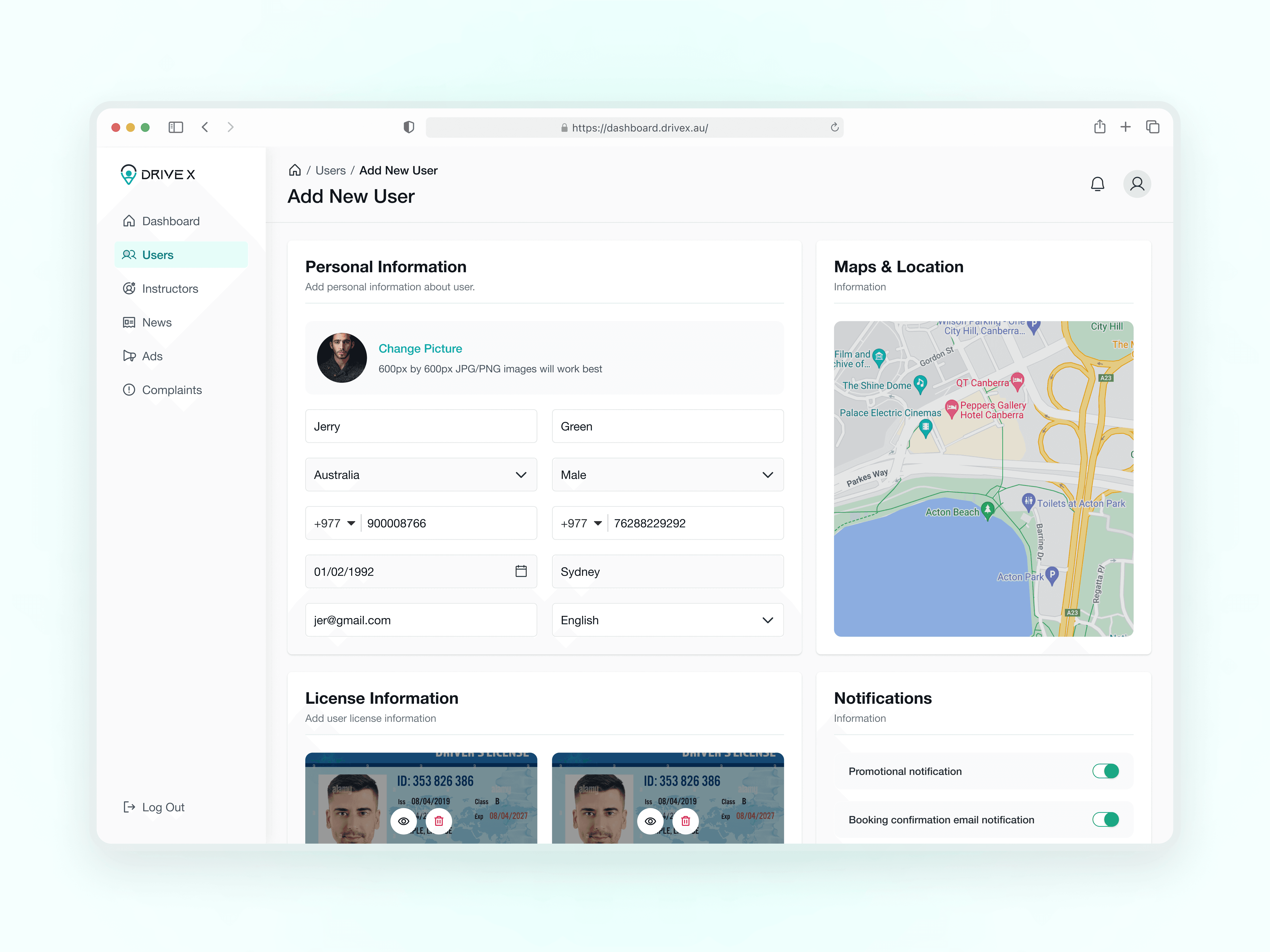
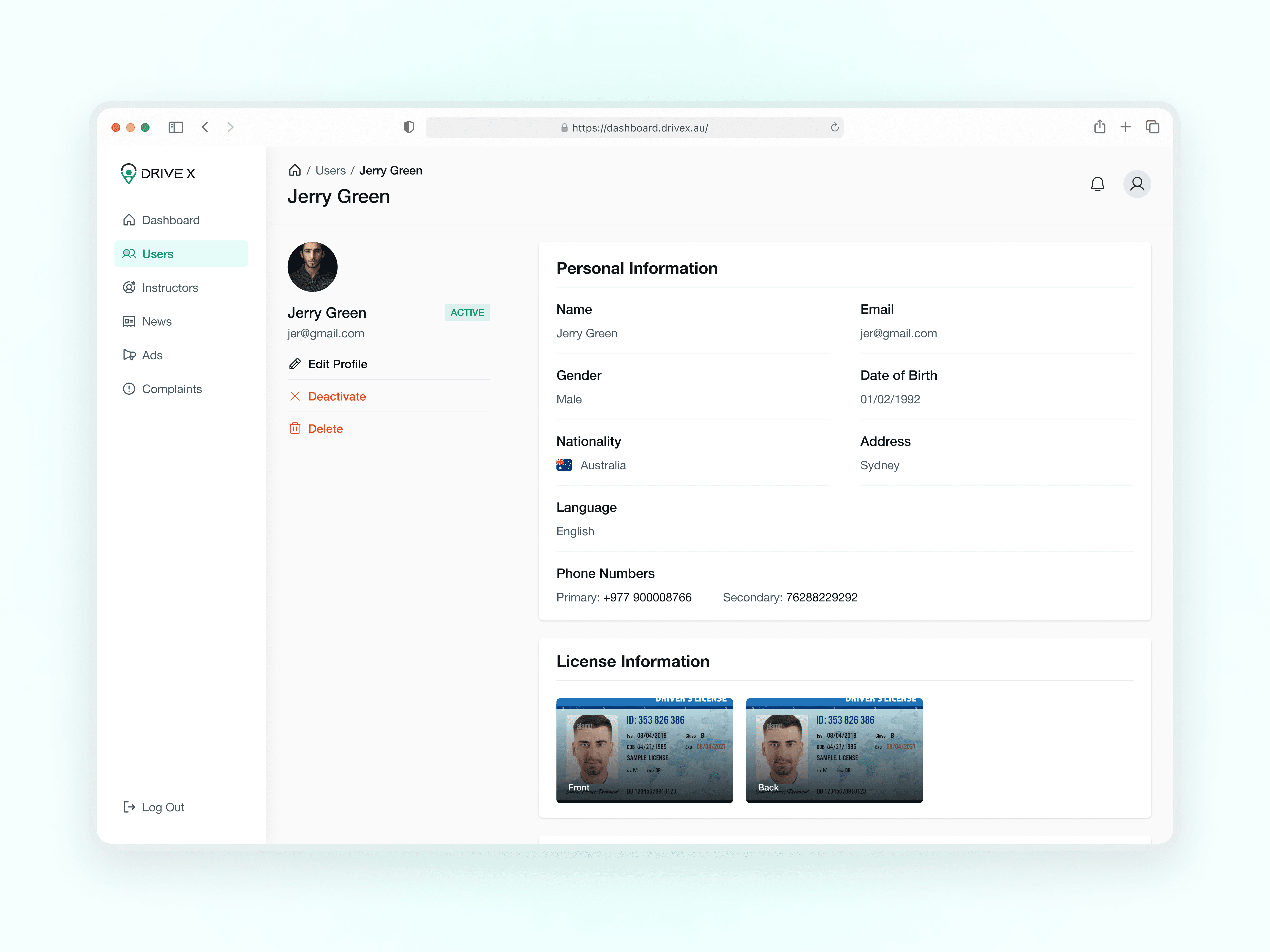
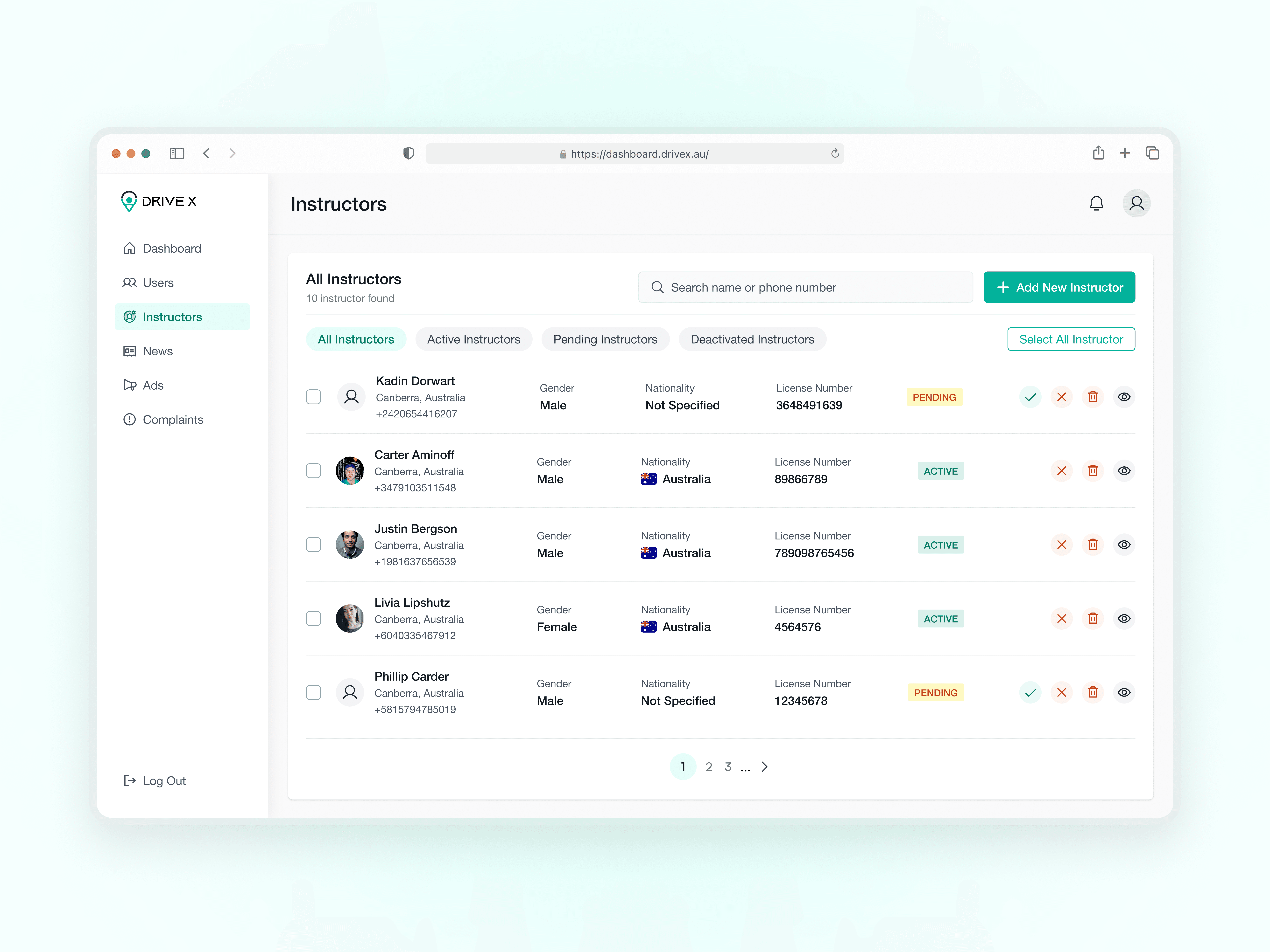
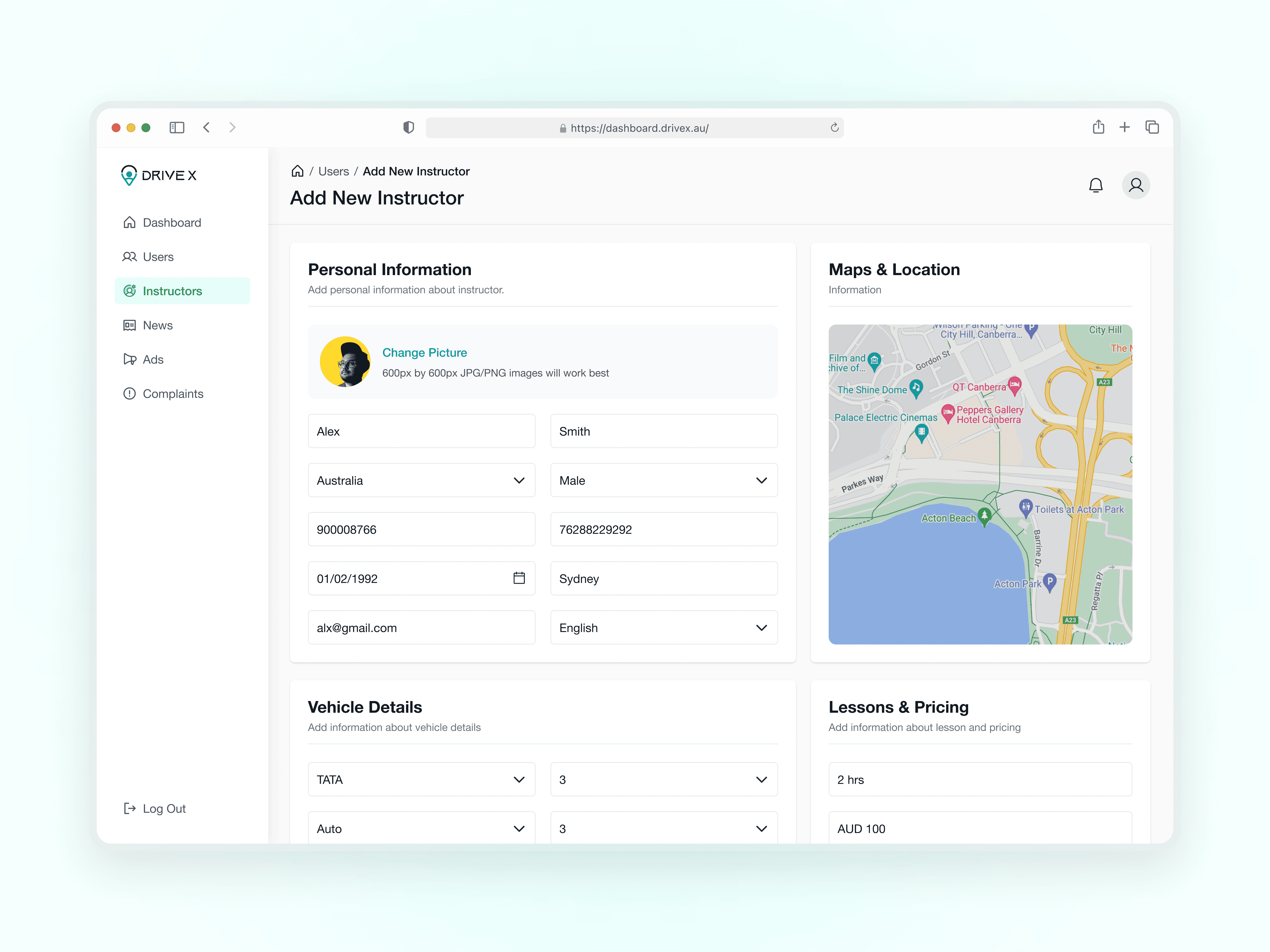
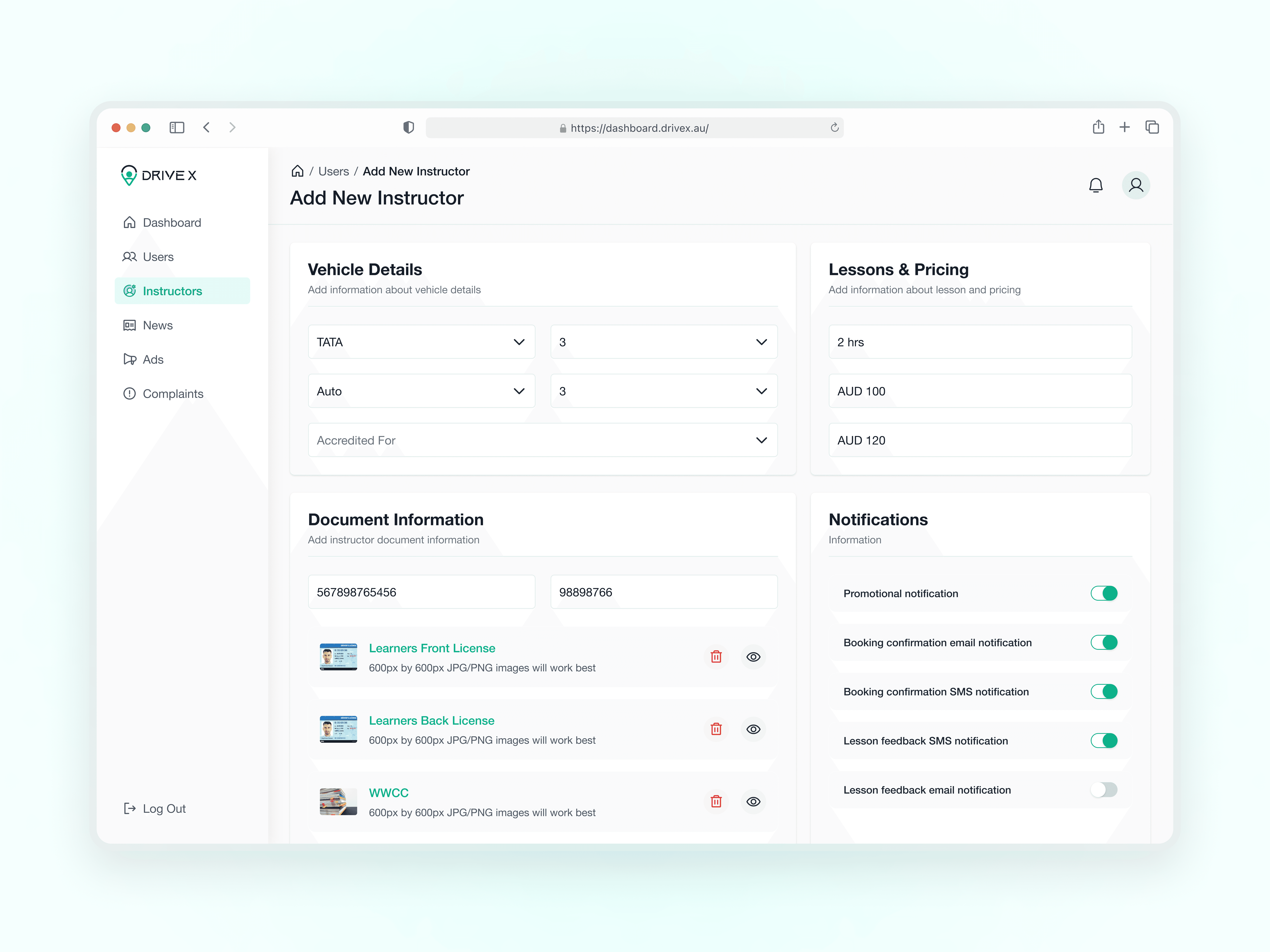
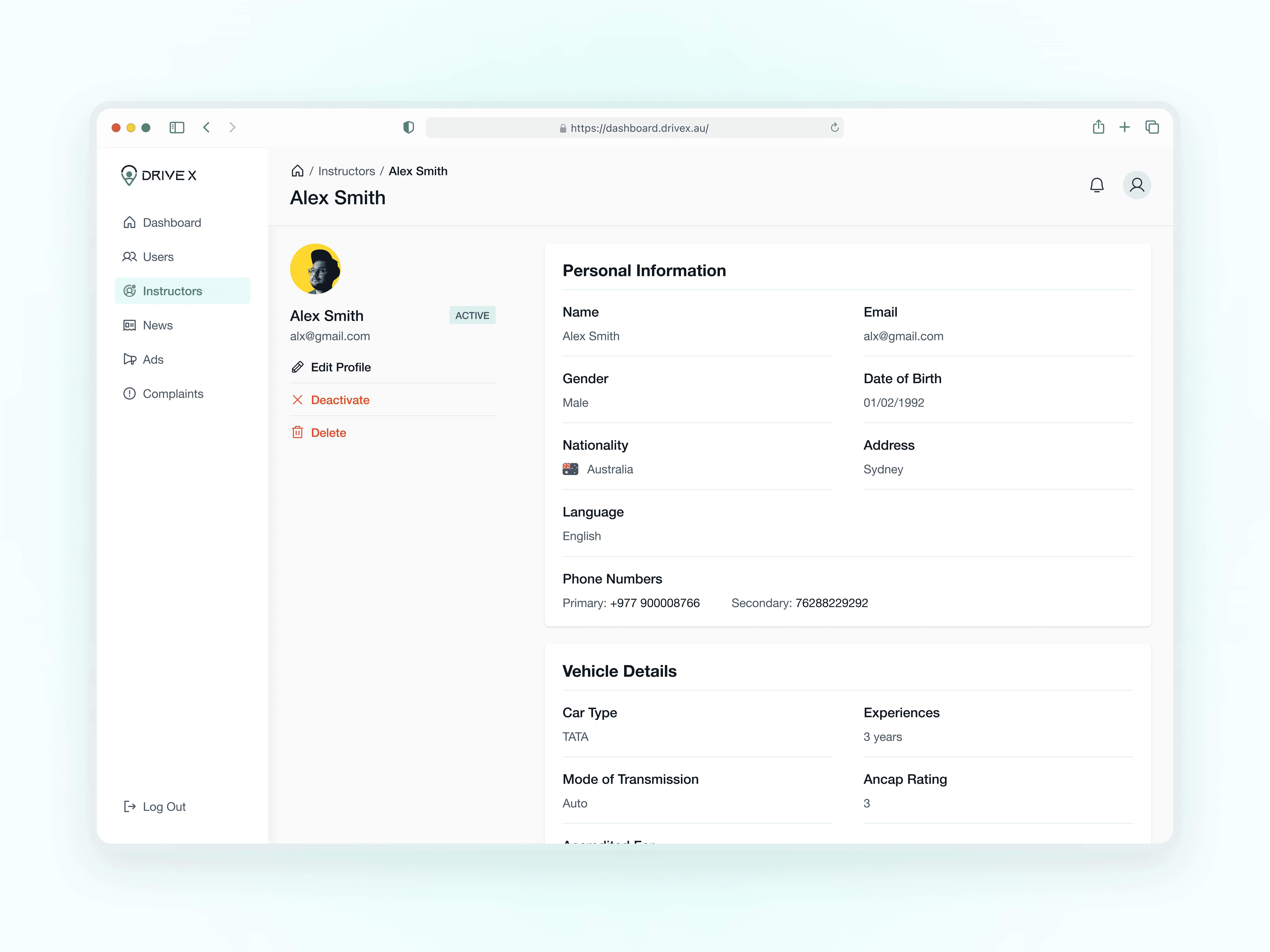
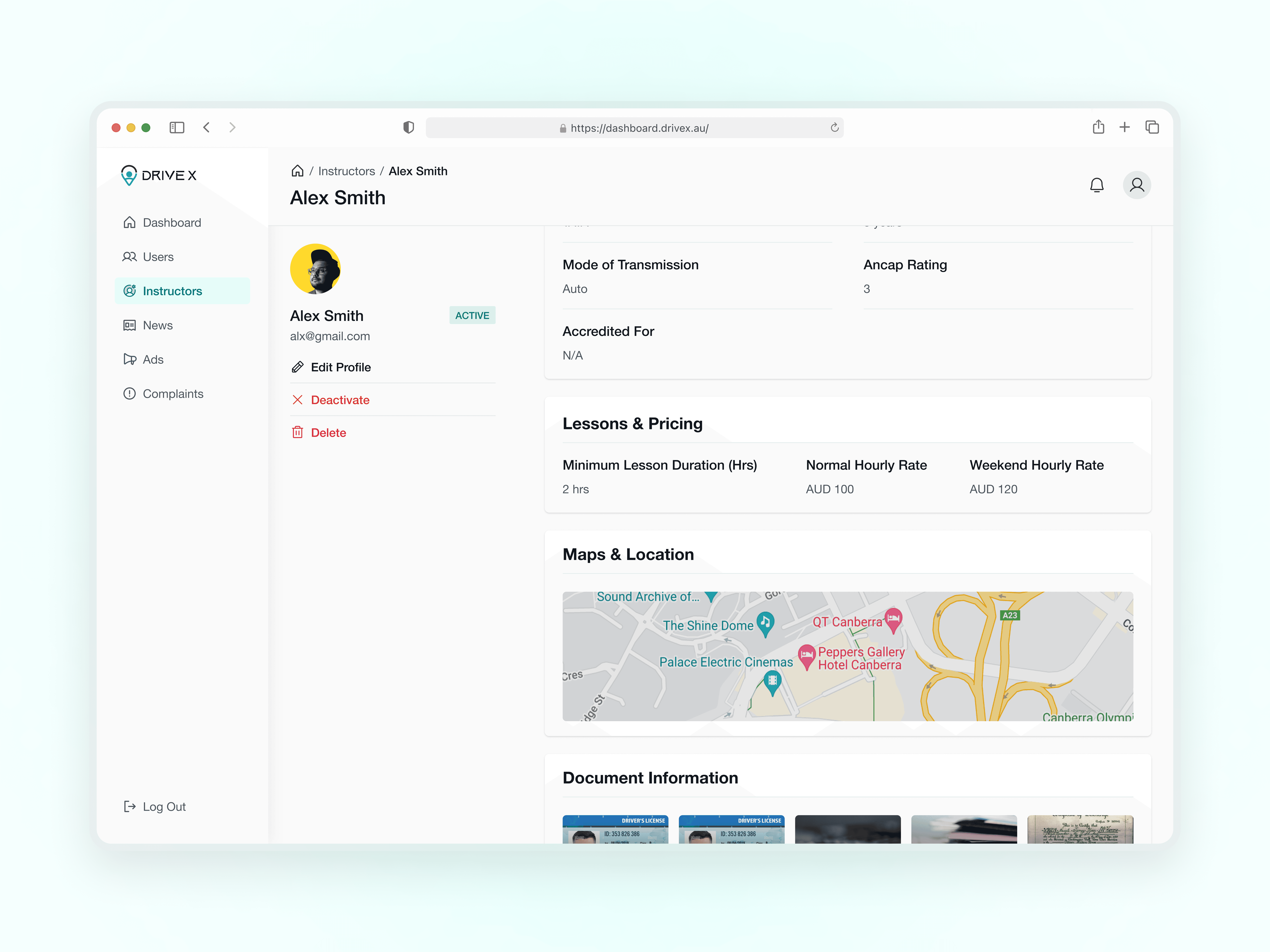
Admins required the ability to add students and instructors, as well as view detailed user profiles. For example, an instructor’s account includes personal information, vehicle details, driving rates, and document information.
Admins required the ability to add students and instructors, as well as view detailed user profiles. For example, an instructor’s account includes personal information, vehicle details, driving rates, and document information.
Admins sought a tool to create advertisements to display within the application.
Admins sought a tool to create advertisements to display within the application.
UI Design
We adhered to a clean and minimalistic design aesthetic, using a brand color palette and typography to enhance familiarity and usability. Key design principles included:
We adhered to a clean and minimalistic design aesthetic, using a brand color palette and typography to enhance familiarity and usability. Key design principles included:
Ensuring primary actions and information were prominently displayed.
Ensuring primary actions and information were prominently displayed.
Implementing a simple menu structure for easy access to features.
Implementing a simple menu structure for easy access to features.
FINAL DESIGN SOLUTIONS
FINAL DESIGN SOLUTIONS
Centralized Dashboard
A comprehensive view of key statistics (total instructors, total users, total ads, etc.) in a single, easily accessible interface.
A comprehensive view of key statistics (total instructors, total users, total ads, etc.) in a single, easily accessible interface.

User Management
Ability to add new students and instructors. View and manage detailed user profiles, including: Instructor’s personal information, Vehicle details, Driving rates and Document information
Ability to add new students and instructors. View and manage detailed user profiles, including: Instructor’s personal information, Vehicle details, Driving rates and Document information
USERS

INSTRUCTORS
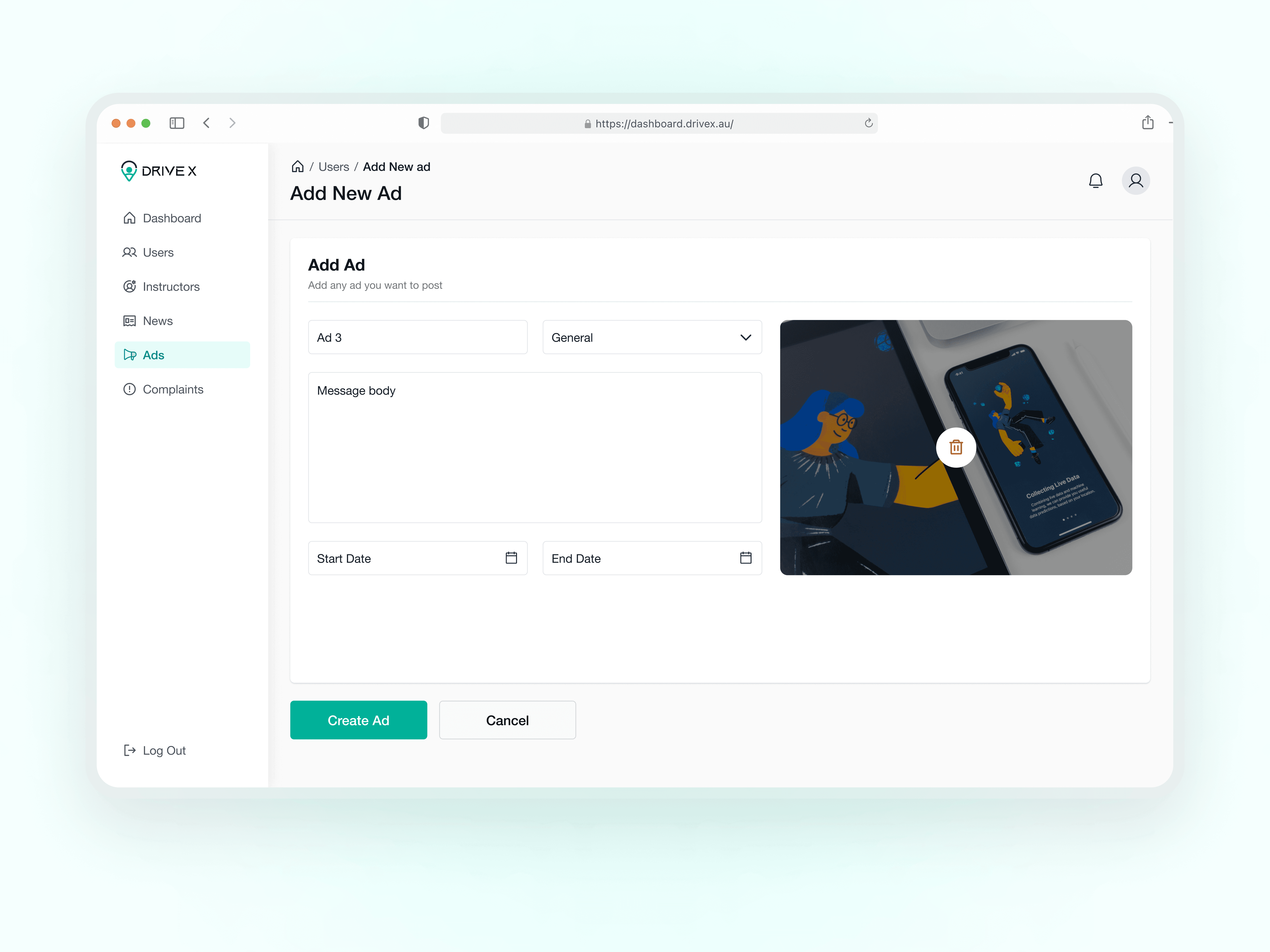
Advertisement Management
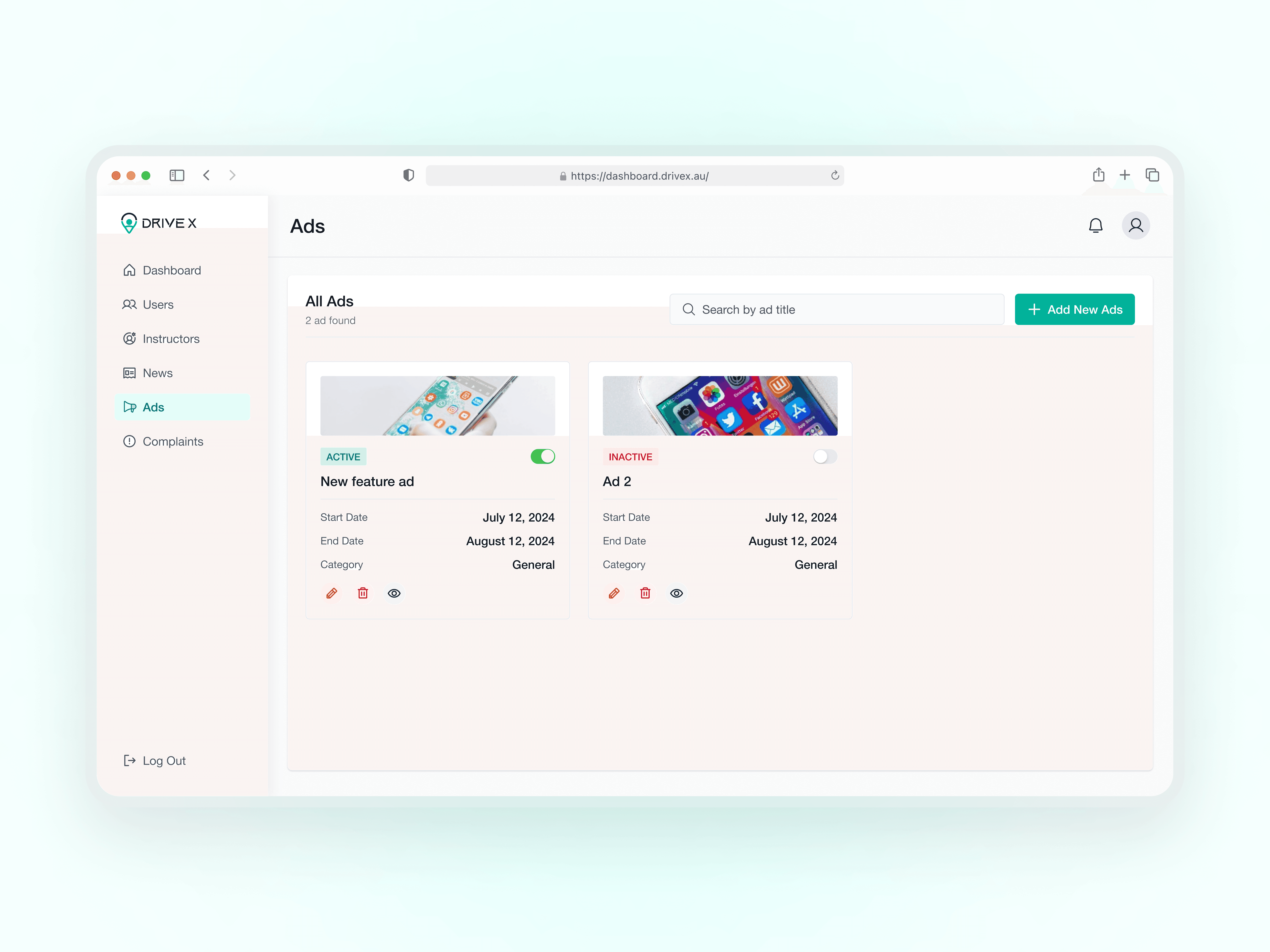
Tool to create and display advertisements within the app, providing admins with a way to engage users through targeted ads.
Tool to create and display advertisements within the app, providing admins with a way to engage users through targeted ads.
Key Takeaways
Key Takeaways
RESULTS
Admins reported a 40% reduction in time spent managing users.
Admins reported a 40% reduction in time spent managing users.
The ad creation tool led to increased engagement with app features and services.
The ad creation tool led to increased engagement with app features and services.
LEARNINGS
Involving stakeholders throughout the design process ensured the system met their needs.
Involving stakeholders throughout the design process ensured the system met their needs.
Continuous testing and refinement were crucial in delivering a polished product.
Continuous testing and refinement were crucial in delivering a polished product.
Iterative design, using feedback from stakeholders, demonstrated the value of refining workflows and features to align with user expectations.
Iterative design, using feedback from stakeholders, demonstrated the value of refining workflows and features to align with user expectations.
CHALLENGES
Ensuring the system was both comprehensive and intuitive while adhering to a limited timeline was a significant challenge. Developing an intuitive process for adding and managing users, including detailed profiles for students and instructors, required careful planning to avoid delays.
Ensuring the system was both comprehensive and intuitive while adhering to a limited timeline was a significant challenge. Developing an intuitive process for adding and managing users, including detailed profiles for students and instructors, required careful planning to avoid delays.
RELATED PROJECTS